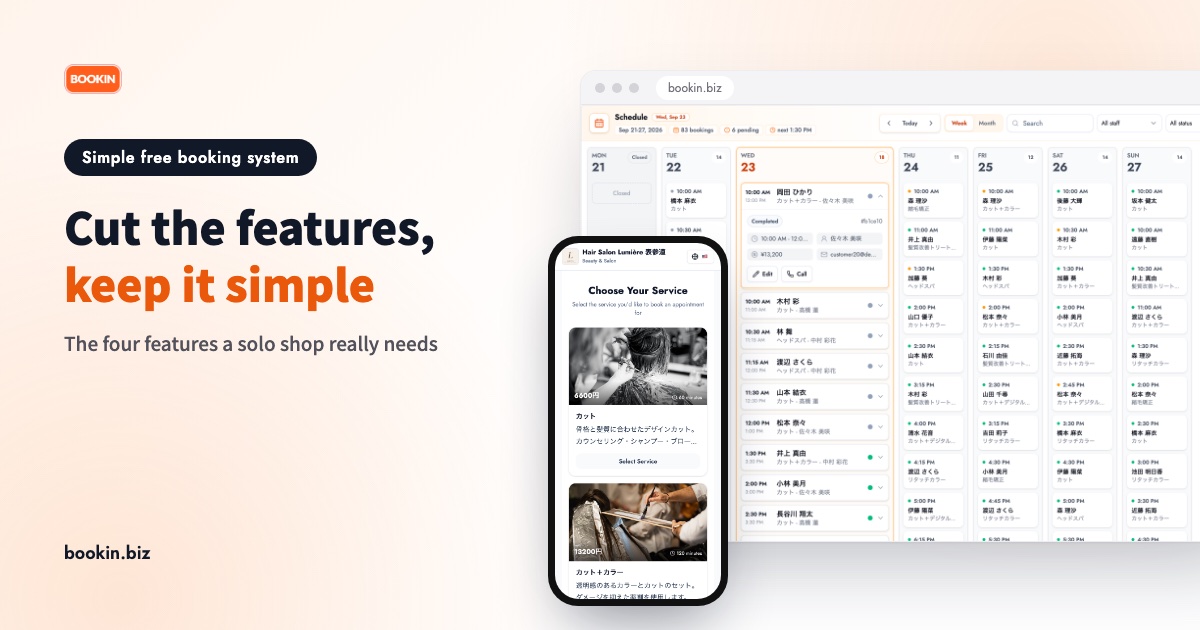
"I signed up for a well-reviewed booking system, but there were so many settings that I gave up before my booking page ever went live." We hear this a lot from people who run a salon or a treatment room on their own.
Customer records, analytics, loyalty points, membership tiers. A long feature list looks reassuring, but a one-person shop only needs a small part of it. Everything else adds setup work and makes every screen busier.
If you're looking for a simple booking system you can start for free, this guide separates the features you actually need from the ones that can wait, and gives you five checks to run before you choose.
Why feature-heavy booking systems don't suit solo businesses
Too much setup before you can go live
The more a tool can do, the more it asks you to decide up front: staff, rooms, services, add-ons, cancellation rules, payment methods. If the booking page can't go live until every field is filled in, setup tends to stall somewhere between appointments.
Your customers get a more complicated screen too
More features on your side usually means more choices on theirs. Pick a service, pick add-ons, pick a staff member, create an account, and only then choose a time. Customers who drop out along the way either phone you anyway or book somewhere else.
More to remember, so you drift back to the phone
If checking today's bookings takes several screens, you won't do it on your phone between clients. The moment a paper diary feels faster, the booking system stops getting used.
A simple booking system needs just four features
For a shop with one to a few people, these four are enough to run day to day:
- A booking page of your own (a URL): a link you can paste straight into LINE, Instagram or your Google Business Profile.
- Automatic availability: open slots are worked out from your hours and each service's length, and taken slots close on their own, so double bookings stop being a worry.
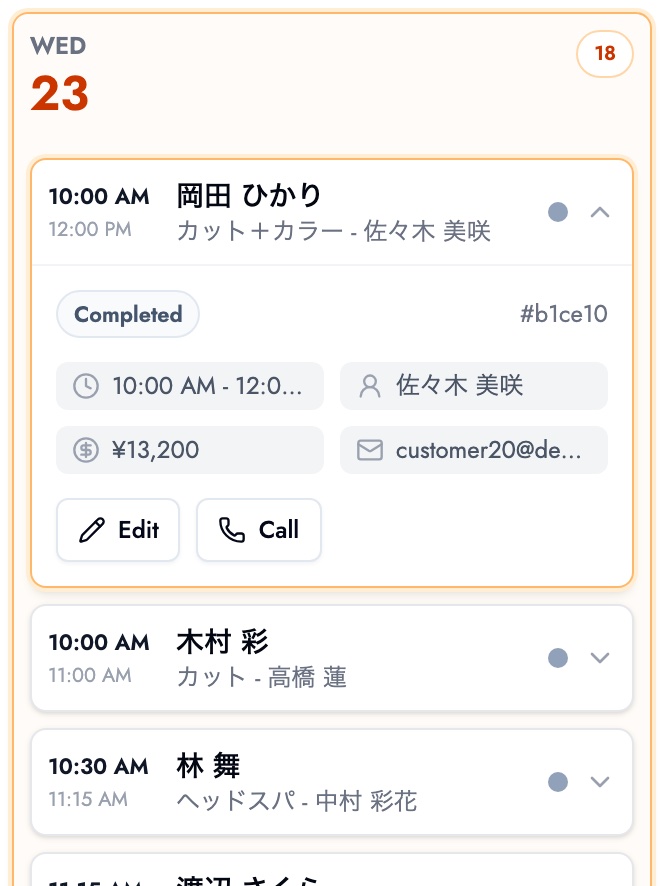
- Today's bookings on your phone: who's coming, when, and for what, on a single screen.
- Reminders before the visit: an automatic message ahead of the appointment cuts no-shows and forgotten visits.
With those four in place, the basic loop works: bookings come in without you answering the phone, full slots close automatically, and you check the day on your phone.
Features that can wait
These are useful, but you rarely need them on day one. Look at them once you have more bookings or more staff and a real problem to solve.
- Detailed customer records and visit history: with a few dozen regulars, the booking log itself is often enough.
- Analytics and reports: sales and booking trends only mean something once bookings have built up.
- Staff selection and shift management: not needed while you work alone.
- Prepayment, points and membership tiers: each one adds a step for your customers.
- Custom questionnaires and long booking forms: whatever you need to ask can often wait until after the booking.
Choosing for "features I might use someday" leaves you with a tool that's too complicated for you today. Start with the minimum that solves today's problem, in a tool that lets you add more later.
5 checks for choosing a simple, free booking system
1. How many steps from sign-up to a live booking page?
Sign up for the free plan, add your services and opening hours, and see whether you can publish the booking page right away. Getting to that first live page without getting lost is the best single test of simplicity.
2. How many taps does a customer need to book?
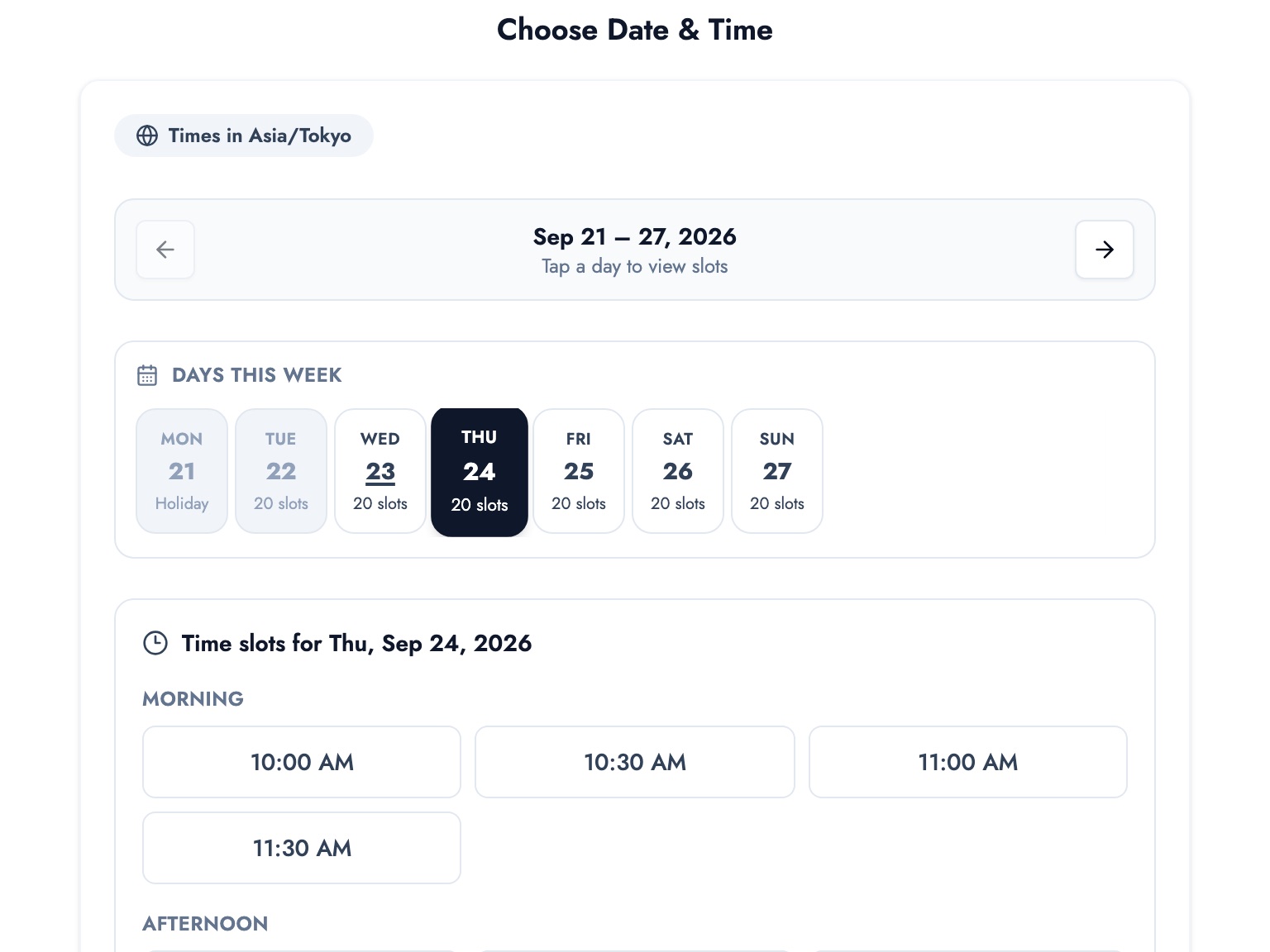
Book an appointment yourself, on your own phone, as a customer would. Pick a service, pick a time, enter a name and contact details. Three steps is ideal. A mandatory account or app download is where people tend to give up.
3. Does the free plan's limit fit your booking volume?
Free plans often cap bookings or services. Roughly count how many bookings you take a month and check there's headroom under the cap. Find out what happens when you hit it, too.
4. Can you add features later?
Start simple, and when you hire someone or want to take bookings through LINE, can you add that without leaving the tool? Switching tools means re-sharing your booking link with every customer, so this matters.
5. Can you try it without a credit card?
If the free plan starts without a card, you can try it, and walk away if it doesn't fit, with nothing to cancel.
For the different types of free plan and a tool-by-tool comparison, see 7 free booking systems compared. To build your own with Google Calendar and Forms, see how to make a free booking system with Google.
Running a stripped-down setup on BOOKIN's free plan
BOOKIN's free plan is designed for a solo shop starting with the minimum:
- Up to 50 bookings a month
- Up to 3 services
- 1 team member (solo)
- Customers can book up to 15 days ahead
- Your own BOOKIN address (your booking page URL) the moment you sign up
- No credit card needed
Only three services? If the goal is to start simple, that's about right. A hair salon might offer "Cut", "Cut + colour" and "Colour only"; a treatment room "First visit", "Standard" and "Extended". Three clear options are easier for customers to choose from, too.
Getting started takes three steps:
- Sign up for free with your email address
- Set up your services and opening hours
- Share your booking page link on LINE, Instagram or as a QR code
On your phone, today's bookings appear as one list with each customer's name, service and time, so a check between clients takes seconds.
The customer's booking page is just as simple: choose a service, then a time.
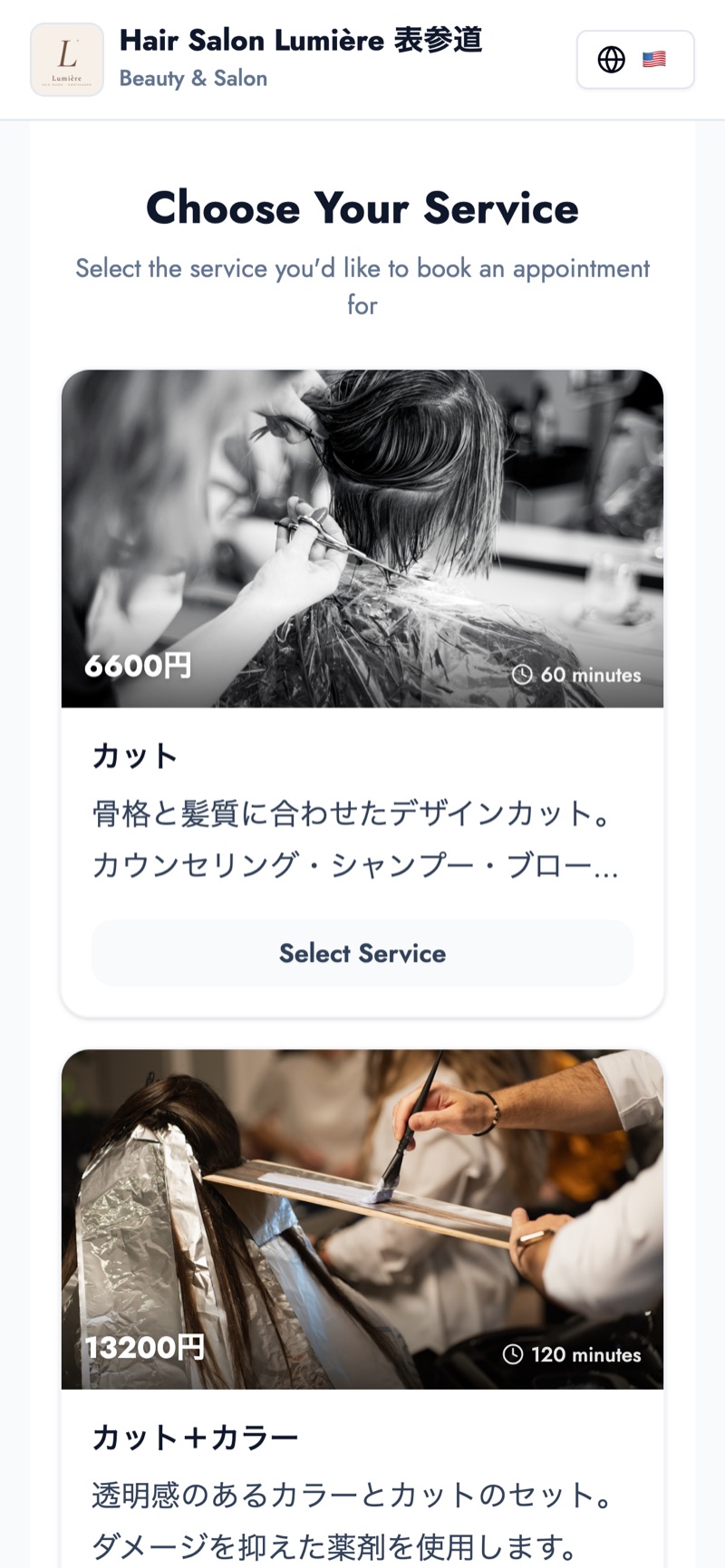
Demo shop photos: Gabriela / Unsplash, Ionela Mat / Unsplash
Everything the free plan covers is on the free booking system page.
When to add more
Once you've started simple, these are the signs it's time to look at a paid plan:
- You're getting close to 50 bookings a month: plan the move before you reach the cap.
- You've hired staff: when you want bookings per person, move to a plan with more team members.
- You want more services: seasonal menus or separate add-ons.
- You want bookings directly from your LINE Official Account: LINE booking is a paid-plan feature. Sending your booking page link over LINE works fine on the free plan.
If you can upgrade inside the same tool, your booking page URL stays the same and there's nothing to re-share with customers. For the bigger picture, see what a booking management system is.
Summary
- For a solo business, a feature-heavy booking system often costs more in setup and screen clutter than it gives back
- What you need: your own booking page, automatic availability, today's bookings on your phone, and reminders
- When choosing a simple, free booking system, check steps to go live, taps for the customer, the free plan's limit, room to grow, and whether a card is required
- Go live with a short menu first, and add features once a real need shows up
Sign up for the free plan and publish a booking page with just your three most-booked services. How little setup it takes is the best argument for keeping it simple.
Take bookings online with BOOKIN. Set up in minutes, free plan available.
Start for free