The front-desk phone rings mid-treatment, and a hygienist steps away from the chair to take a booking. A patient finishes their last appointment, nobody asks "when shall we see you next?", and six months turn into a year without a checkup. In a small dental practice, these things add up a little every day.
A dental booking system cuts the phone calls. Pick the wrong one, though, and you end up with online booking that works while recall patients still don't come back and no-shows stay where they were.
This guide is for small practices, one or two dentists with a few hygienists and front-desk staff. It covers what to look for in a dental booking system and how to run it so recall checkups and no-shows improve.
Three booking problems every small dental practice knows
Dental booking has a few quirks other businesses don't.
- You can't answer the phone mid-treatment. With both hands busy, every call stops the procedure. Ignore it and you might lose a new patient.
- A no-show empties a long slot. Dental appointments are long and treatment runs in a set order, so one no-show wastes the whole block.
- Recall checkups drift. Once treatment ends, the patient has no reason to come back and forgets when the checkup is due. Chasing them with postcards or calls is more work for the front desk.
What you want from a dental booking system is to shrink all three through the way bookings work.
Dental booking system: 7 things to check
1. Different durations per service
A checkup and cleaning might take 30 minutes, a filling 45, and a first visit 60 because of the intake interview and X-rays. Make sure you can set a duration per service and that open slots are calculated from it. If everything uses the same slot length, you either run late or leave the chair empty.
2. Choose which services patients can book online
Many practices want to hear about pain or emergencies before fixing a slot. Being able to publish only the services that are safe to book online, such as "Checkup and cleaning" or "New patient consultation", lets you start without disruption. Follow-up visits for patients mid-treatment can still be booked at the desk during checkout.
3. Automatic reminders
A reminder sent automatically before the appointment cuts no-shows from patients who simply forgot. Check how it's delivered (email, LINE) and when it goes out. Dental appointments are often booked weeks or months ahead, so patients forget the date more easily, and reminders tend to pay off.
4. Book the next visit at checkout
The surest way to improve recall is to have patients book their next visit before they leave. Check that front-desk staff can book a patient's next appointment from the system on the spot, and that the patient gets the booking details too.
5. How far ahead patients can book
Recall checkups are three or six months out. How far ahead patients can book differs by product and plan, so check that it matches your recall interval.
6. See each patient's last visit
If you know when someone last came in, you can contact patients whose checkup is overdue. Check that you can see each patient's booking count and last visit in a list, and keep visit history and notes.
7. Can you start small (free plan, no card)?
Many dental products assume integration with practice-management or electronic record software, along with setup fees and onboarding meetings. If you just want to see whether online booking helps, start with a tool you can try on a free plan without a credit card. Pricing models vary a lot, so check each vendor's official site for current terms.
For a broader view, see our clinic booking system comparison and our list of free booking systems.
How to book recall checkups so patients come back
Installing a booking system won't bring recall patients back on its own. What works is building three habits into the day:
- Book the next checkup before the patient leaves the last treatment. "How about this date for your three-month checkup?" at checkout locks in the slot. Once the date is set, the reminder does the rest.
- Hand over the booking page link. If a patient can't commit to a date, give them the QR code or URL and say "pick whatever day suits you here". No more phone tag.
- Check who hasn't been in. Once a month, sort patients by last visit and contact anyone past their checkup date.
How to cut no-shows
Dental no-shows usually come from "I forgot" or "I couldn't make it but didn't want to call", not bad intent.
- Send a reminder the day before. Just reminding people of the date prevents a lot of them.
- Let patients change or cancel online. If they can change a booking without calling, a silent no-show becomes an advance cancellation and you can give the slot to someone else.
- Show your cancellation rules on the booking page. Something like "changes by the day before" should be visible when they book.
For more, see our guide to preventing no-shows.
Do you need practice-management or EMR integration?
Dental comparison articles often focus on integration with practice-management and electronic record software. If you want reception through billing in one system, it matters.
For a small practice, though, the urgent problems are phone calls mid-treatment, no-shows and drifting recall, and a booking system alone handles those. Requiring integration narrows your options and slows the rollout. It's perfectly reasonable to move booking online first, see the effect, and look at integration later.
Taking dental bookings with BOOKIN
BOOKIN is a booking system built so small shops and practices can start taking online bookings quickly. For a dental practice, it works like this:
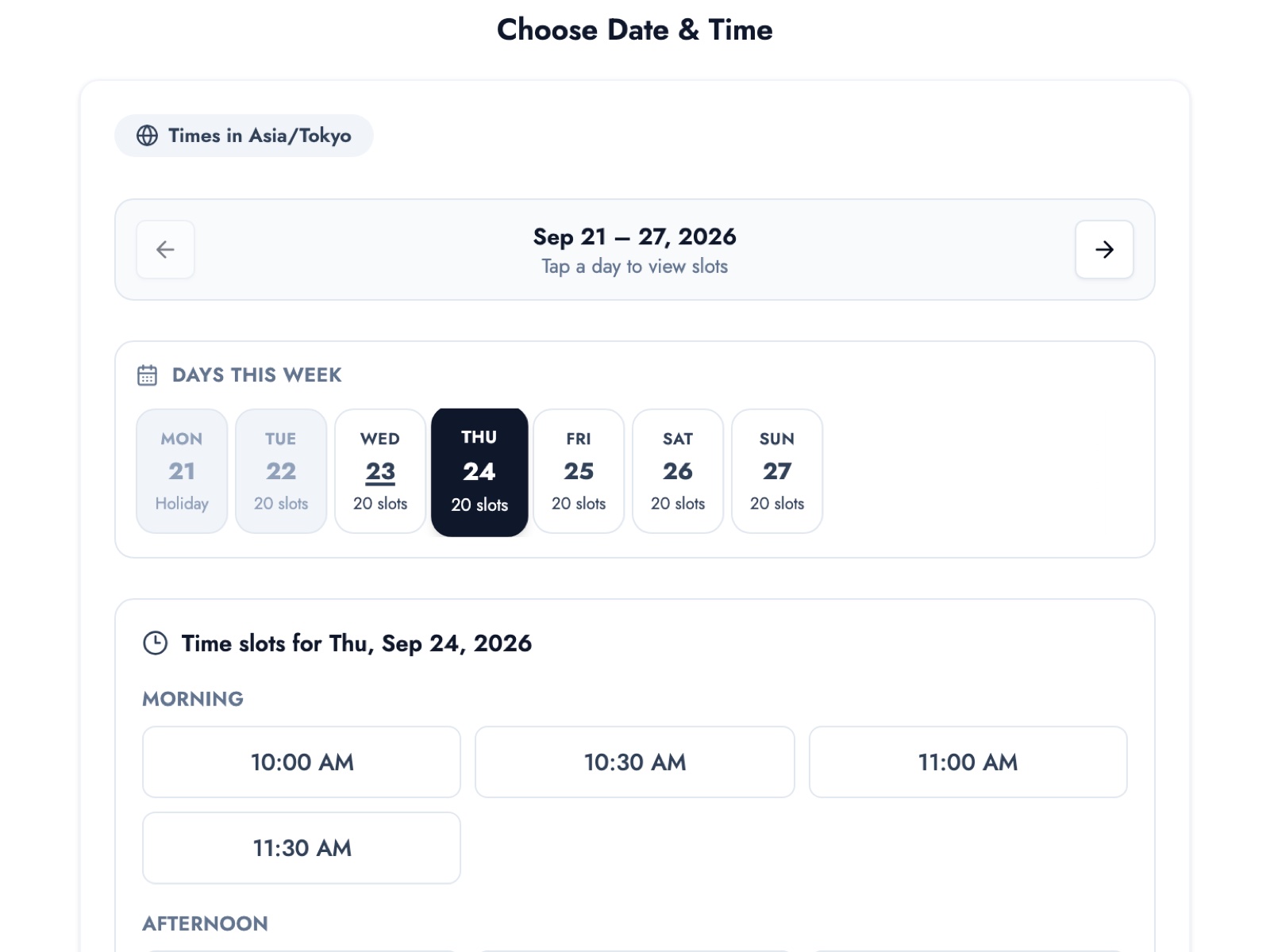
- 24/7 online booking. Patients see open slots and book from their phone, even outside opening hours. No app to install.
- Durations per service. Set a duration for checkups, cleanings, first visits and so on; open slots are calculated automatically. Booked slots can't be selected again, so there's no double booking.
- Automatic reminders. A reminder goes out before each appointment to cut forgotten visits.
- Easy sharing. Share your booking page URL or QR code at the front desk, on your website, or on LINE.
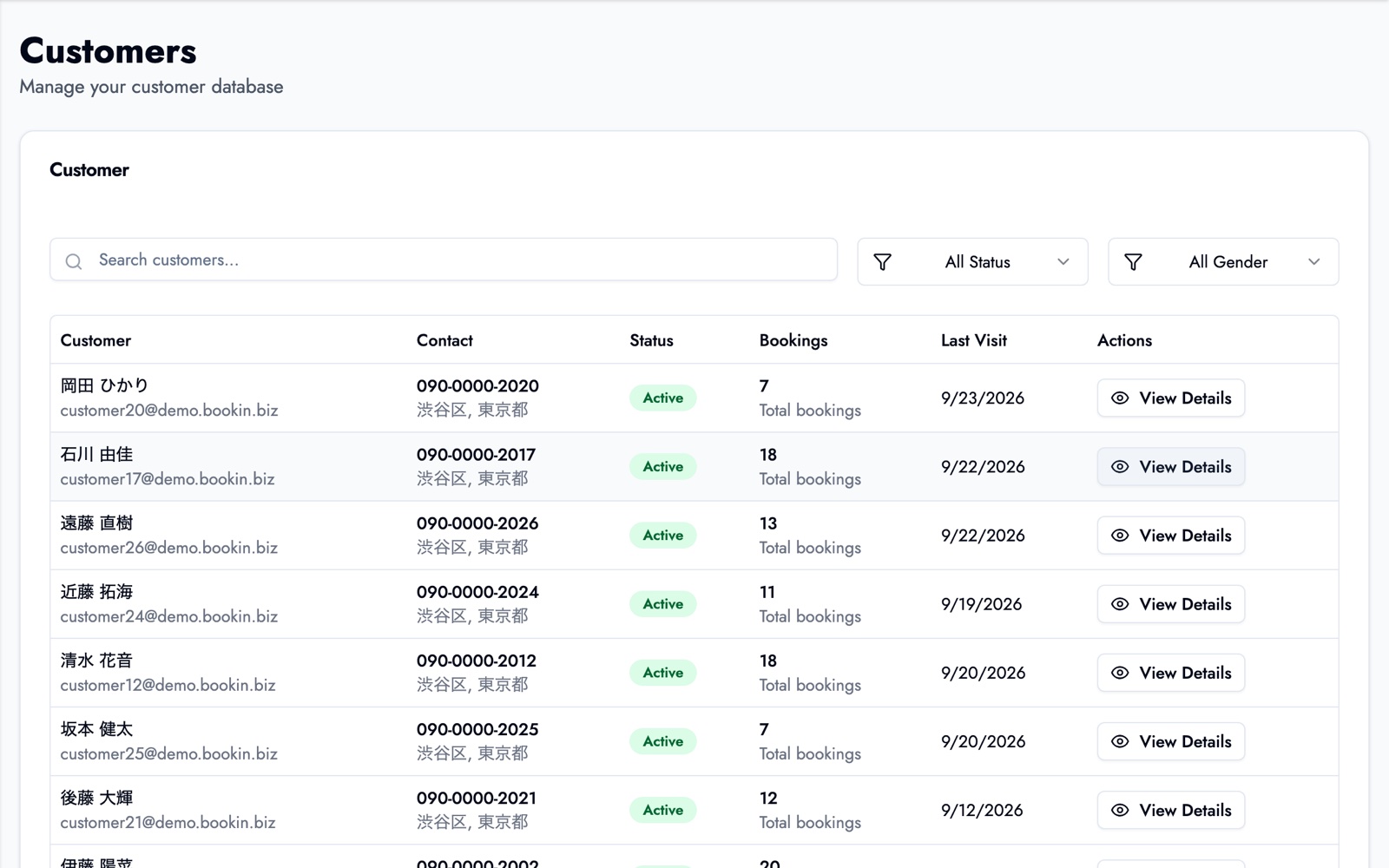
The customer list shows each patient's booking count and last visit, which is what you need to find patients whose checkup is overdue.
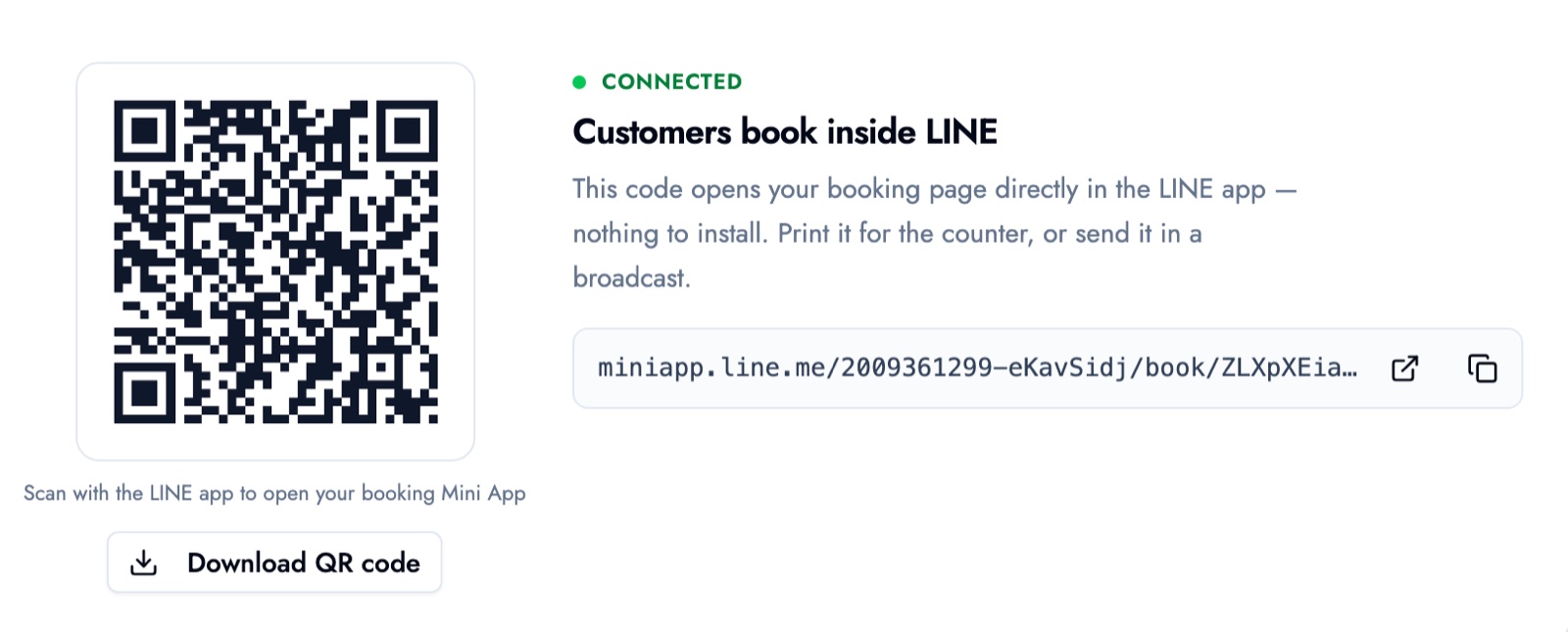
With LINE integration, you can print a QR code that opens your booking page and keep it at the desk, or have patients scan it at checkout. They book right inside the LINE app, which makes it easy for them to book their own next checkup.
Screens show data from our demo business (a hair salon).
The free plan covers up to 50 bookings a month, up to 3 services and one team member, and patients can book up to 15 days ahead. No credit card required. Booking a patient's next visit from the desk (follow-up booking), visit history, per-patient notes, booking through LINE, multiple staff accounts and a longer booking window are on paid plans. See our dental booking system page for how it fits a practice.
BOOKIN books by time slot. If you need integration with practice-management or EMR software, compare dental-specific products built for that as well.
Summary
- Small dental practices mostly struggle with calls mid-treatment, no-shows and drifting recall checkups.
- Choose a dental booking system on per-service durations, control over what's bookable online, reminders, booking the next visit at checkout, how far ahead patients can book, visibility of last visits, and whether you can start small.
- The biggest recall lever is booking the next checkup before the patient leaves the last treatment.
- Day-before reminders and online changes and cancellations cut no-shows.
Start on the free plan with just "Checkup and cleaning" and "New patient consultation", then try your own booking page the way a patient would.
Take bookings online with BOOKIN. Set up in minutes, free plan available.
Start for free