Morning hours start and the front-desk phone doesn't stop. Someone is settling a bill at the counter while the receptionist takes a booking call and writes it into the paper appointment book. In a small practice or treatment clinic, that scene plays out every day.
Most owners know a clinic booking system would help. The trouble is that comparison articles mostly list feature-heavy products built for hospitals, with electronic medical record (EMR) integration front and center. It's hard to tell which one fits a clinic your size.
This guide is for small clinics, one or two practitioners and a couple of front-desk staff. It covers what to compare when choosing a clinic booking system and how to roll one out without disrupting patients.
What a small clinic needs a booking system to fix
Be clear about the problem first and the comparison gets much easier. Small practices usually describe the same three:
- Phone bookings pile up during opening hours. Calls collide with patients at the desk, and both end up waiting.
- No-shows from forgotten appointments. An empty slot rarely gets refilled at short notice.
- Mistakes in the paper appointment book. Misread handwriting, double bookings, and staff not seeing the same information.
All three are solved by the basics: patients see open slots and book themselves, an automatic reminder goes out before the visit, and every booking lives in one place. Check those before you look at advanced features.
Clinic booking system comparison: 7 things to check
1. Booking model: time slots or queue tickets
Clinic booking systems fall into two broad types.
| Model | How it works | Best for |
|---|---|---|
| Time-slot booking | The patient picks a time, e.g. 10:30 | Visits with a predictable length: physiotherapy, acupuncture, self-pay treatments, consultations, rehab |
| Queue tickets | Patients take a number and wait to be called | General practice or pediatrics, where consult length varies |
Queue systems are good at showing wait times. Time slots suit patients who want a fixed arrival time and visits with a set duration. Decide which one your clinic is closer to and you've already cut the shortlist in half.
2. Different durations per service
A first visit runs longer because of the intake interview; a follow-up is shorter; treatments might be 30 or 60 minutes. Make sure you can set a duration per service and that open slots are calculated from it. If everything uses the same slot length, you either run late or leave gaps.
3. Separate first visits and follow-ups
First visits involve checking insurance and intake forms, so the desk handles them differently. With separate "first visit" and "follow-up" services, you know which kind of patient is coming before they arrive.
4. Automatic reminders
A reminder sent automatically before the appointment cuts no-shows from patients who simply forgot. Check how it's delivered (email, LINE) and whether you can control the timing. For the no-show side in more depth, see our guide to preventing no-shows.
5. Easy for every patient
Not every patient is comfortable with apps. If booking requires creating an account or installing something, many will give up and call instead. On your own phone, check that booking takes three steps: choose a service, pick a time, enter a name and contact details.
6. One shared schedule for the whole team
If the receptionist and the doctor aren't looking at the same schedule, you get the same mix-ups as with paper. Check that today's bookings are easy to read on both a PC and a phone.
7. Can you start small (free plan, no card)?
Hospital-grade products often assume setup fees and onboarding meetings. A small practice is better off with a tool it can try on a free plan without a credit card, and testing it with real patients. Pricing models vary a lot, so check each vendor's official site for current terms.
For a broader view, see what a booking management system does and our comparison of free booking systems.
Do you need EMR integration?
Comparison articles often highlight integration with electronic medical records or billing software. For larger clinics that want reception through checkout in one system, it matters.
For a small clinic, though, the urgent problems are usually phone overload and forgotten appointments, and a booking system alone handles those. Requiring integration narrows your options and slows the rollout. It's perfectly reasonable to move booking online first, see the effect, and look at integration later.
A rollout plan that works
- Map your current flow. Roughly how many bookings a day, when calls peak, and the mix of first visits and follow-ups.
- Start with about three services. For example "First visit", "Follow-up" and "Treatment".
- Set opening hours and breaks. Lunch breaks and afternoons off become unbookable automatically.
- Tell patients at the clinic first. A QR code at reception, a link on your website, a message on LINE.
- Run it alongside phone bookings for a month or two. Don't switch the phone off; move over as the share of online bookings grows.
Taking clinic bookings with BOOKIN
BOOKIN is a booking system built so small shops and practices can start taking online bookings quickly. For a clinic, it works like this:
- 24/7 online booking. Patients see open slots and book from their phone, even outside opening hours.
- Durations per service. Set a duration for first visits, follow-ups and treatments; open slots are calculated automatically. Booked slots can't be selected again, so there's no double booking.
- Automatic reminders. A reminder goes out before each appointment to cut forgotten visits.
- Easy sharing. Share your booking page URL or QR code on your website, on LINE, or at the front desk.
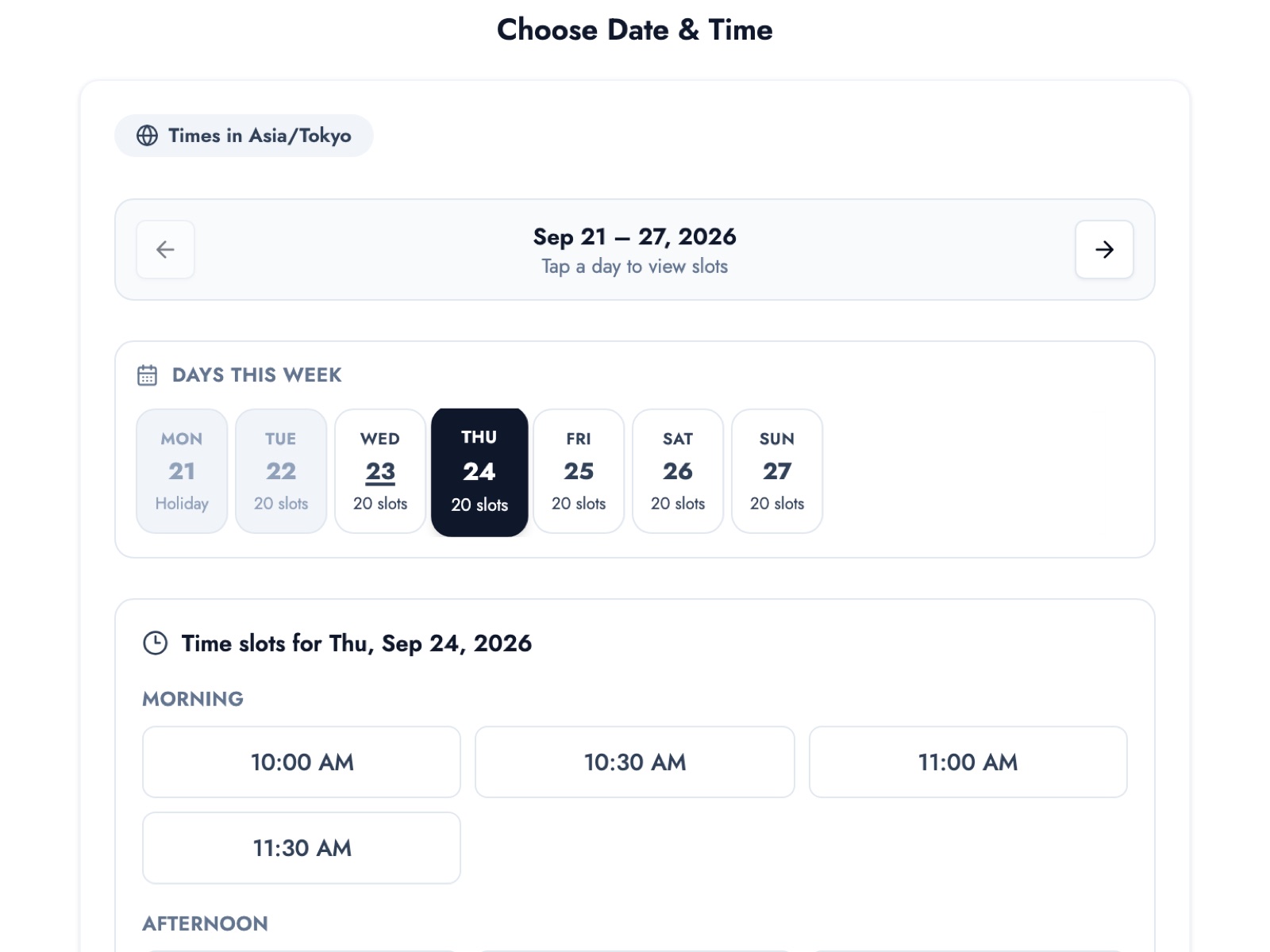
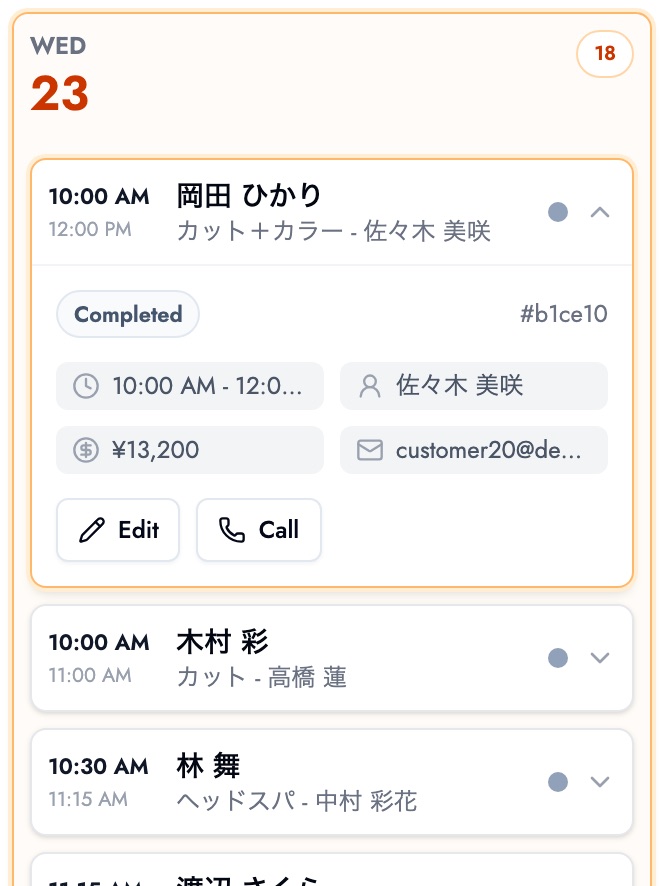
Today's bookings fit on one screen, and the same schedule shows on the front-desk PC and on a phone.
The appointment list keeps every booking's status, date and staff member in one place.
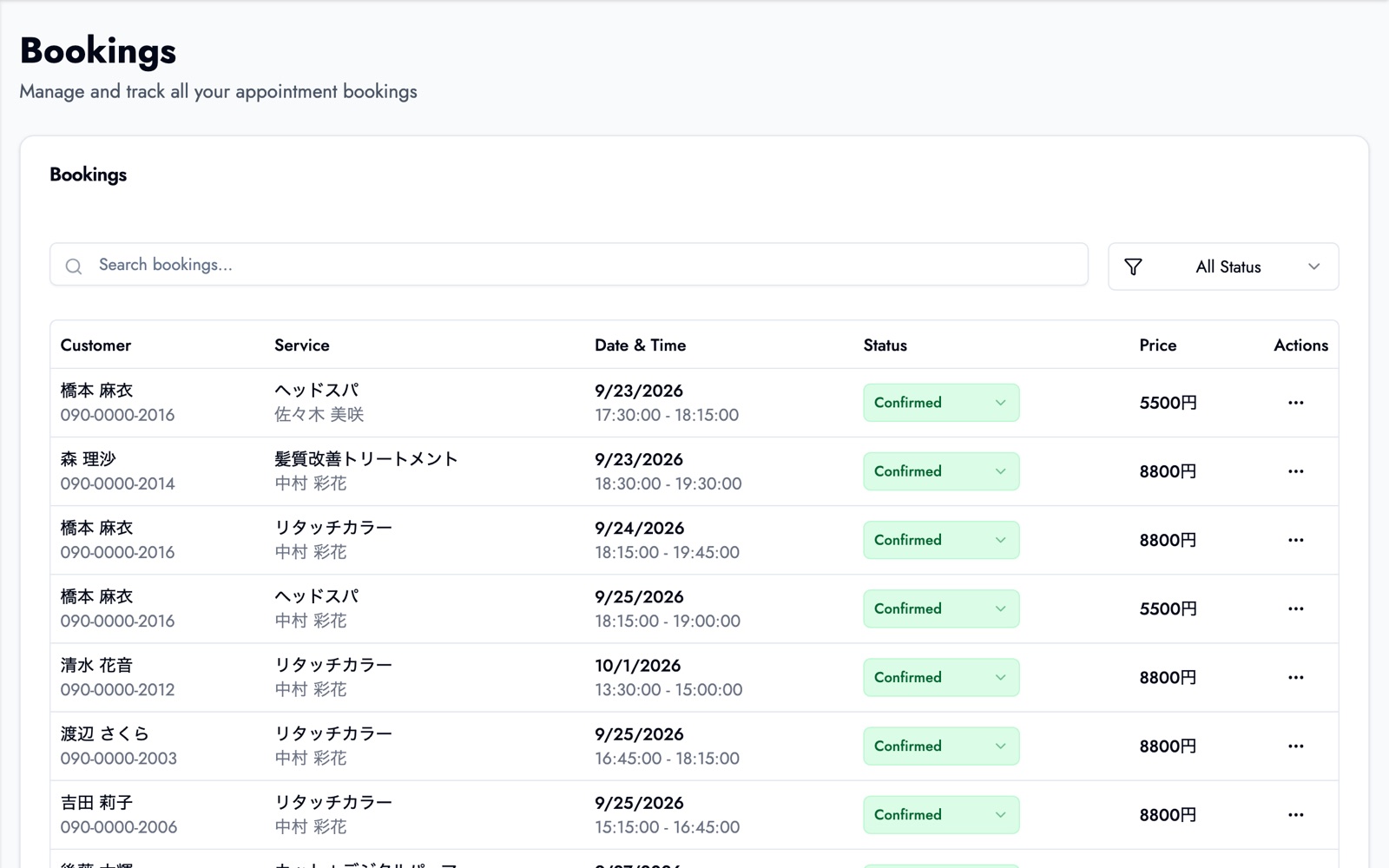
Screens show data from our demo business (a hair salon).
The free plan covers up to 50 bookings a month, up to 3 services and one team member, with no credit card required. Visit history, per-patient notes, booking through LINE and multiple staff accounts are on paid plans. See our clinic booking system page for how it fits a practice.
BOOKIN uses time-slot booking. If you need queue tickets or EMR integration, compare products built for those as well.
Summary
- Small clinics mostly need to fix phone overload, forgotten appointments and paper-book mistakes.
- Decide between time slots and queue tickets first, then compare per-service durations, first-visit vs follow-up handling, reminders, ease of use for patients, a shared schedule, and whether you can start small.
- EMR integration can wait until online booking has proven itself.
- Start with a few services and run alongside phone bookings while you switch over.
Start on the free plan with just "First visit" and "Follow-up", then try your own booking page the way a patient would.
Take bookings online with BOOKIN. Set up in minutes, free plan available.
Start for free