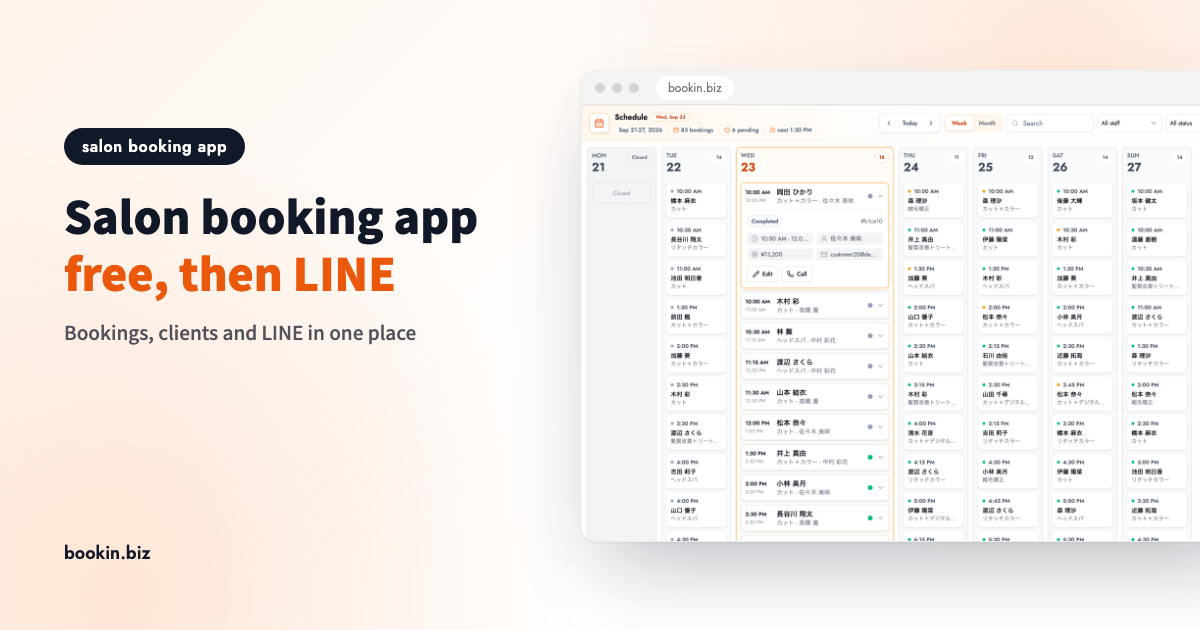
Bookings live in a paper diary. Clients message you on Instagram and LINE. New customers come in through a booking portal. Before long, a small salon's bookings are spread across four places, and every gap between clients goes to cross-checking them and replying to "do you have anything Saturday?"
This post is for small hair salons, nail salons, lash studios and beauty salons. It covers what to look for in a free salon booking app, and a step-by-step way to move off the paper diary and grow into taking bookings on LINE. You don't need everything on day one. Start free, and add things as you actually need them.
What a salon booking app needs to do
Most salons want four things from a booking management app:
- A schedule you can check on your phone, so you can see the next client or today's gaps mid-appointment
- Clients who book themselves, so bookings come in after hours and while your hands are busy
- Fewer forgotten appointments, with automatic reminders the day before
- A memory of each client: last service, visit count, preferences
Plenty of tools cover the first three on a free plan. Client history and LINE integration are usually paid features. Deciding up front what you'll run for free, and what you'll pay for later, saves you from switching tools halfway.
Choosing a free salon booking app: 5 things to check
For a general comparison of booking apps, see Best Booking Management Apps. Here we stick to what matters specifically for salons.
| What to check | Why it matters for a salon |
|---|---|
| A duration per service | A cut and a cut-and-colour take very different times; slots must match |
| No app to install | Clients and staff stick with it when opening a link is all it takes |
| Automatic reminders | One no-show wipes out the revenue for that whole slot |
| Clear free-plan limits | You need to know what happens when you hit the booking or service cap |
| A path to LINE booking later | In Japan, most of your clients already live in LINE |
A duration per service
The most common salon booking mistake is misjudging treatment time. If you can set a duration per service and available slots are calculated from it, long services stop overlapping and the next client doesn't end up waiting.
No install required
Clients don't want to install an app just to book a haircut. A browser-based booking page that works from a link, or one that opens inside LINE, makes the switch to online booking far easier.
Free-plan limits
Free plans usually cap monthly bookings, the number of services, staff seats and how far ahead clients can book. Check what happens when you get close to a cap. Plans change, so always confirm the current terms on each vendor's official site.
Four steps: start free, grow into LINE
Step 1: Add your core services and publish a booking page
You don't need your whole menu on day one. Add the two or three services that get booked most, such as a cut or a cut and colour, set their durations and your opening hours, and your booking page is ready. Services that need a consultation can stay on phone or DM for now.
Step 2: Drop the paper diary and put every booking in the app
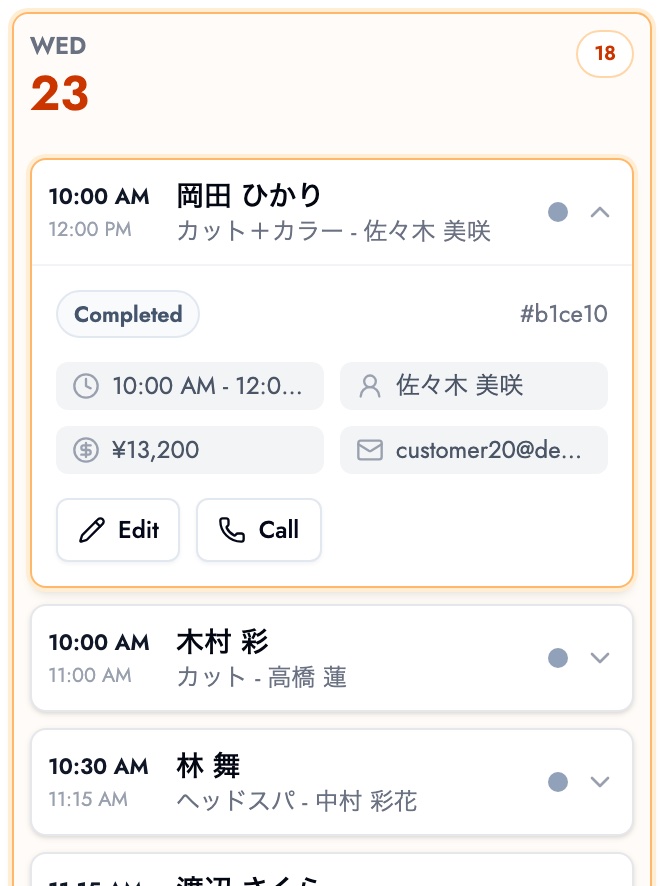
When a booking comes in by phone or DM, add it to the app from your phone. It lands in the same schedule as online bookings, so double bookings can't happen. The key is to actually stop using paper. Run both side by side and you'll never know which one is right.
Step 3: Put your booking link everywhere clients look
Add the booking page link to your Instagram bio, Google Maps listing, website and shop cards. A simple split works well: new clients find you through a booking portal, regulars rebook on your own page. Over time, you rely less on the portal.
Step 4: As regulars grow, add client records and LINE booking
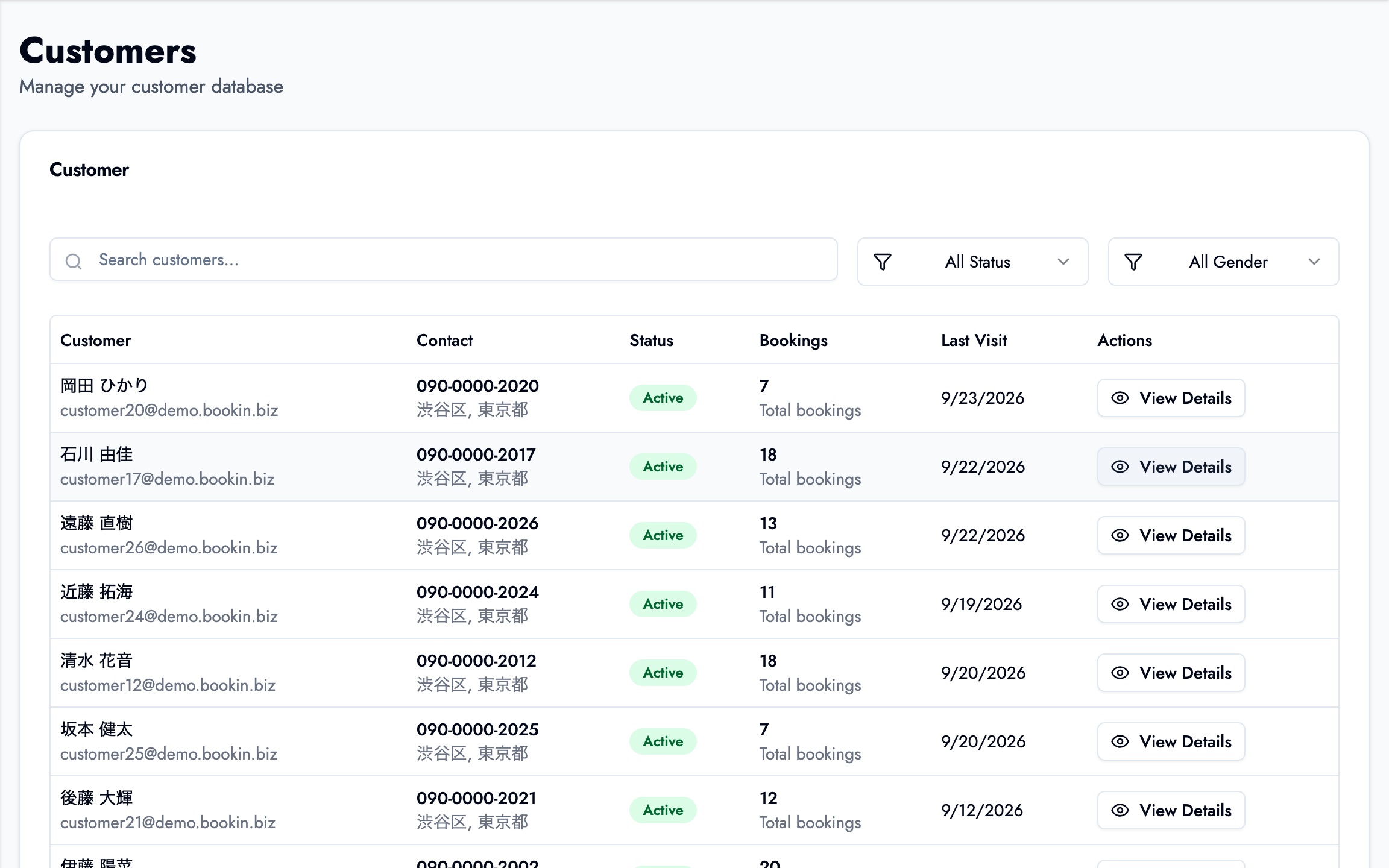
Once you have a base of regulars, it gets hard to remember who had which colour last time, or when someone is due back. This is the point where client history and notes, plus LINE booking straight from your LINE Official Account, start paying off.
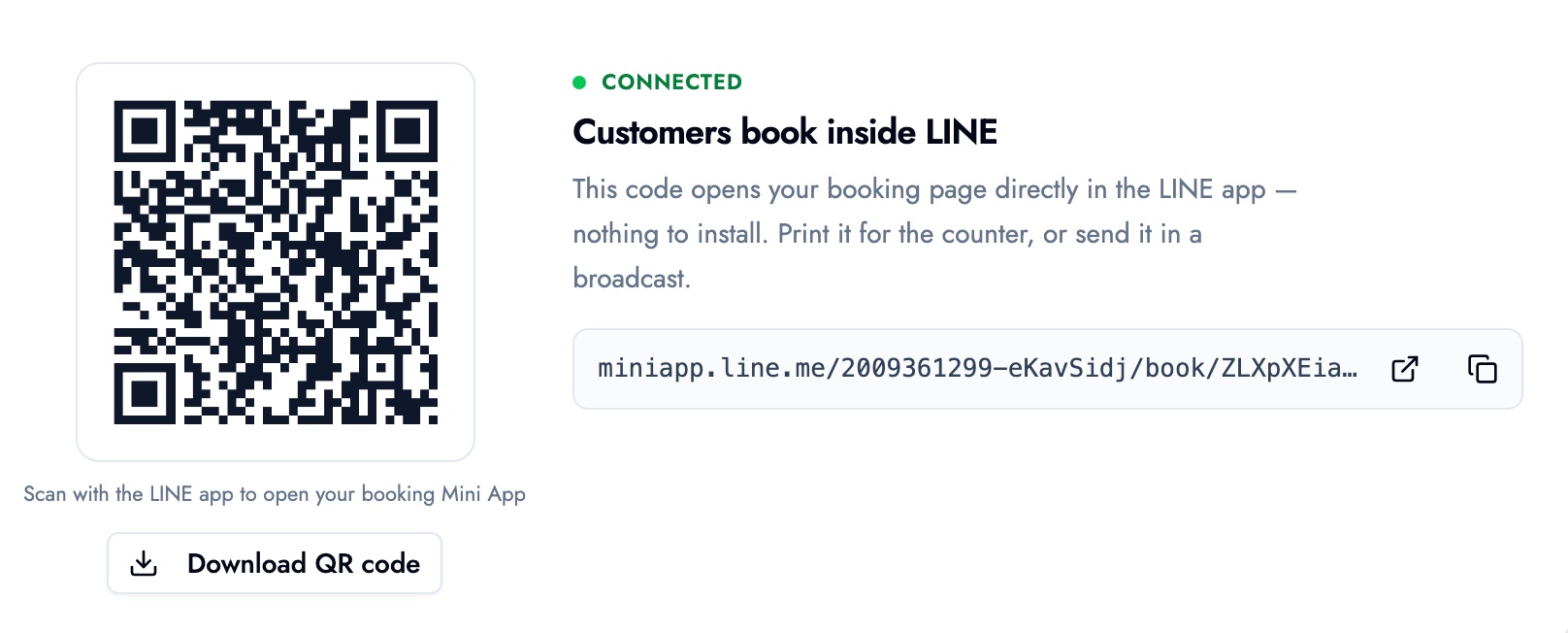
With LINE connected, you get a QR code and link that open your booking page inside the LINE app. Put the QR code on the counter or send the link to your LINE friends, and clients can book from the app they already use every day.
For the different ways to take bookings on LINE, see Can You Run a LINE Booking System for Free?
Cutting salon no-shows with your booking app
Most salon no-shows come down to clients forgetting, or feeling awkward about cancelling. A booking app helps in three ways:
- An automatic reminder the day before catches most of the forgetting
- Your cancellation policy on the booking page means clients see it before they book
- An easy way to cancel or reschedule turns a no-show into an early cancellation you can refill
More in our guide to preventing no-shows.
Using BOOKIN as your salon booking app
BOOKIN runs in the browser, so you manage bookings from the same screen on your phone or computer, with nothing to install. Clients book by opening your booking page link.
- On the free plan: an online booking page, a duration per service, and a booking list and calendar. Up to 50 bookings a month, 3 services and 1 team member, with clients able to book up to 15 days ahead. No credit card needed to start.
- On paid plans: LINE booking, a QR code for your booking page, per-client visit history and notes, follow-up bookings, more team members, and a longer booking window.
In terms of the four steps, steps 1 to 3 fit on the free plan, and step 4 is where a paid plan comes in. See how salons use BOOKIN on our salon booking system page. To compare BOOKIN against other free tools, read how to choose a free booking system.
Summary
- A salon booking app should give you a phone-friendly schedule, self-booking for clients, automatic reminders and client records
- When choosing a free one, check per-service durations, no-install booking, reminders, free-plan limits and whether you can add LINE later
- Publish a page with your core services, drop the paper diary and share the link: all of this can start free
- Add client records and LINE booking once your regulars grow
Start on the free plan with two or three core services, then book an appointment on your own phone the way a client would.
Take bookings online with BOOKIN. Set up in minutes, free plan available.
Start for free