You already have a LINE official account, and customers already message you there asking for appointments. So why not build the booking flow on top of LINE yourself? Plenty of small shops in Japan start exactly this way, stitching together Google Forms and other free tools.
You can build a LINE booking system for free. What you get, and how much manual work is left over, depends a lot on how you build it. This guide walks through three ways to build your own LINE booking system, step by step, then covers the problems DIY setups tend to hit and the signs that it's time to stop building and switch.
Three ways to build a free LINE booking system yourself
From easiest to most involved, these are your options. All three can start within what a LINE official account lets you do for free.
1. Rich menu plus Google Forms (no code)
The simplest route, and it needs no programming.
- Build a booking form in Google Forms: name, phone number, service, and first to third choice of date and time
- Send responses to a Google Sheet and use it as your booking log
- In the LINE official account manager, set the form's URL as a rich menu button
- Add the form link to your greeting message so new friends see it right away
Customers tap the menu and request a booking. Compared with chat, you get fewer misheard dates and services.
The downside is that a form doesn't know your availability. Requests arrive for times that are already taken, so you still have to check each one and reply on LINE to say the slot is gone.
2. Link a booking calendar from the rich menu
Set up a free booking calendar, such as Google Calendar's appointment schedules, and put its link in the rich menu. Only open times are shown, so this goes a step further than a form: the booking is confirmed the moment the customer picks a slot.
We cover the setup and its limits in how to build a free booking system with Google Calendar and Google Forms. Two things to watch: customers leave LINE for an outside page, and these tools may lack settings a shop needs, such as a different length for each service or assigning a staff member.
3. Build it with the Messaging API and Google Apps Script
This is the full DIY route, for people who can code. It uses LINE's public developer tools.
- Create a Messaging API channel in LINE Developers and connect it to your official account
- Write a webhook handler, for example in Google Apps Script (GAS), that replies to messages with open slots
- Write bookings to a spreadsheet and send a confirmation message on LINE when one comes in
- Optionally, build a date and time picker with LIFF (web pages that open inside LINE)
Built well, the whole flow stays inside LINE, from showing open slots to confirming the booking. But it takes real time to build, and you'll keep patching it as LINE and Google change their platforms. Depending on how messages are sent, they can also count against your official account's monthly message allowance.
Free allowances and API terms for LINE official accounts change from time to time. Check the official LINE and LINE Developers sites before you start building.
The three DIY methods compared
| Method | Build effort | Shows availability | Prevents double booking | Reminders before the visit | Maintenance |
|---|---|---|---|---|---|
| 1. Rich menu + form | About half a day | No | Manual | Manual | Almost none |
| 2. Linked booking calendar | Half a day to a day | Yes | Depends on the tool | Depends on the tool | Almost none |
| 3. Messaging API + GAS | Days to weeks | Yes (you build it) | You build it | You build it | Ongoing |
Only the tools are free. The time to build and fix the system comes out of your own week. Method 3 in particular tends to become something only its builder can repair.
Common problems with a DIY LINE booking system
Shops that keep running a homemade booking setup tend to hit the same five problems.
1. Double bookings
A form can't stop two people from requesting the same time. Even with the API route, unless you handle two customers picking the same slot at almost the same moment, you'll end up with two bookings for one slot.
2. Changes and cancellations
Building a way to take bookings is one thing. Building a way to change or cancel them is much harder. In practice, changes come in over chat and someone edits the spreadsheet by hand.
3. Reminders
Sending a confirmation the day before each visit by hand is the first thing to slip on a busy day. Reminders are one of the most visible ways to cut no-shows, so this is an expensive gap in a DIY setup.
4. Only the builder can fix it
GAS scripts and spreadsheet formulas usually can't be fixed by anyone except the person who wrote them. If that staff member leaves, or simply gets busy, your booking flow can stop working.
5. Customer data spread everywhere
Once phone numbers and visit history are scattered across spreadsheets and chat logs, it gets hard to control who can see what. One wrong sharing setting can make a sheet visible to outsiders.
When to stop building it yourself
If any of these sound familiar, it's time to think about moving from DIY to a booking system:
- You've had a double booking, even once
- Replying to form requests and chats takes a real chunk of every day
- Two or more staff members now take or serve bookings
- A missed day-before reminder led to a no-show
- You (or one specific person) are the only one who can fix the setup
The time you spent building isn't wasted. What you learned running it, like which questions to ask and which hours fill up first, carries straight over to choosing a booking system. We compare what to look for in 7 free booking systems for small businesses in Japan.
Instead of DIY: connect a booking system's free plan to LINE
The shortest way to skip the building is to make a booking system's page open from LINE. You can start by swapping the form link in your rich menu for a booking page link.
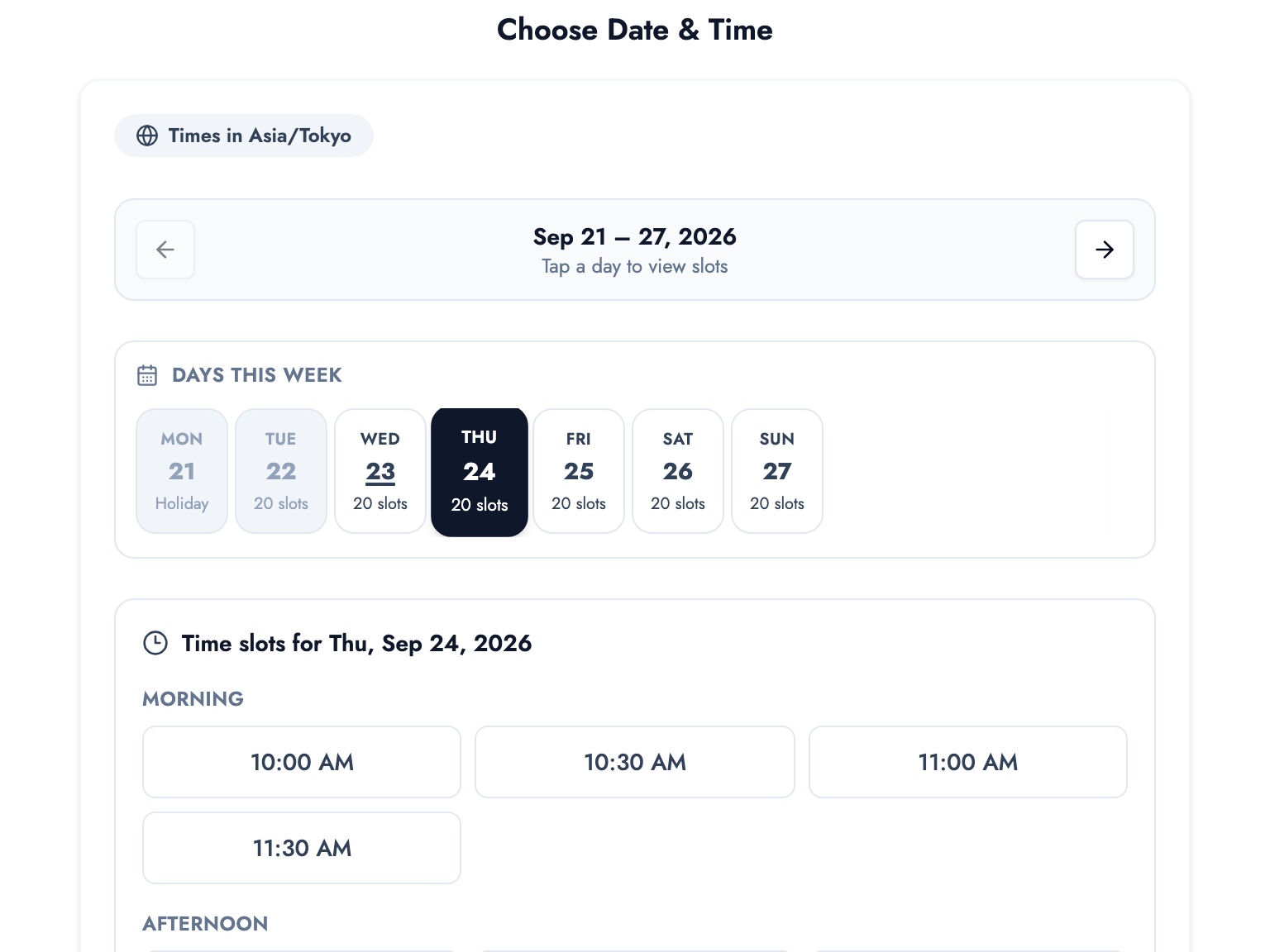
BOOKIN is an online booking system for small businesses. On the free plan you can publish your own booking page and share its link from your LINE rich menu or in chat. The page shows only open times, and the booking is confirmed when the customer picks one, so there's no more replying "sorry, that time is taken."
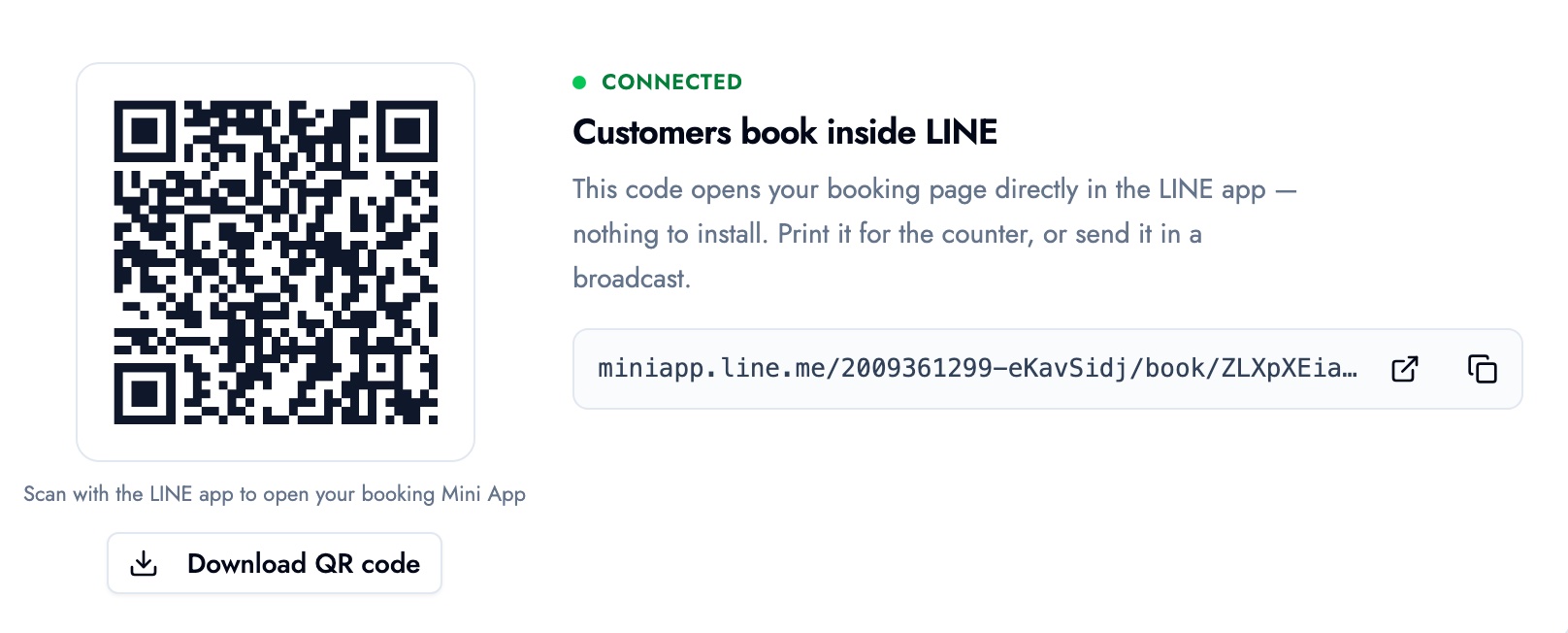
Paid plans add LINE integration, so the booking page opens right inside the LINE app. Put the QR code up in your shop or send it on LINE, and customers just scan it to open the booking page. LINE integration needs your LINE official account to be connected in its settings, and support walks you through the setup.
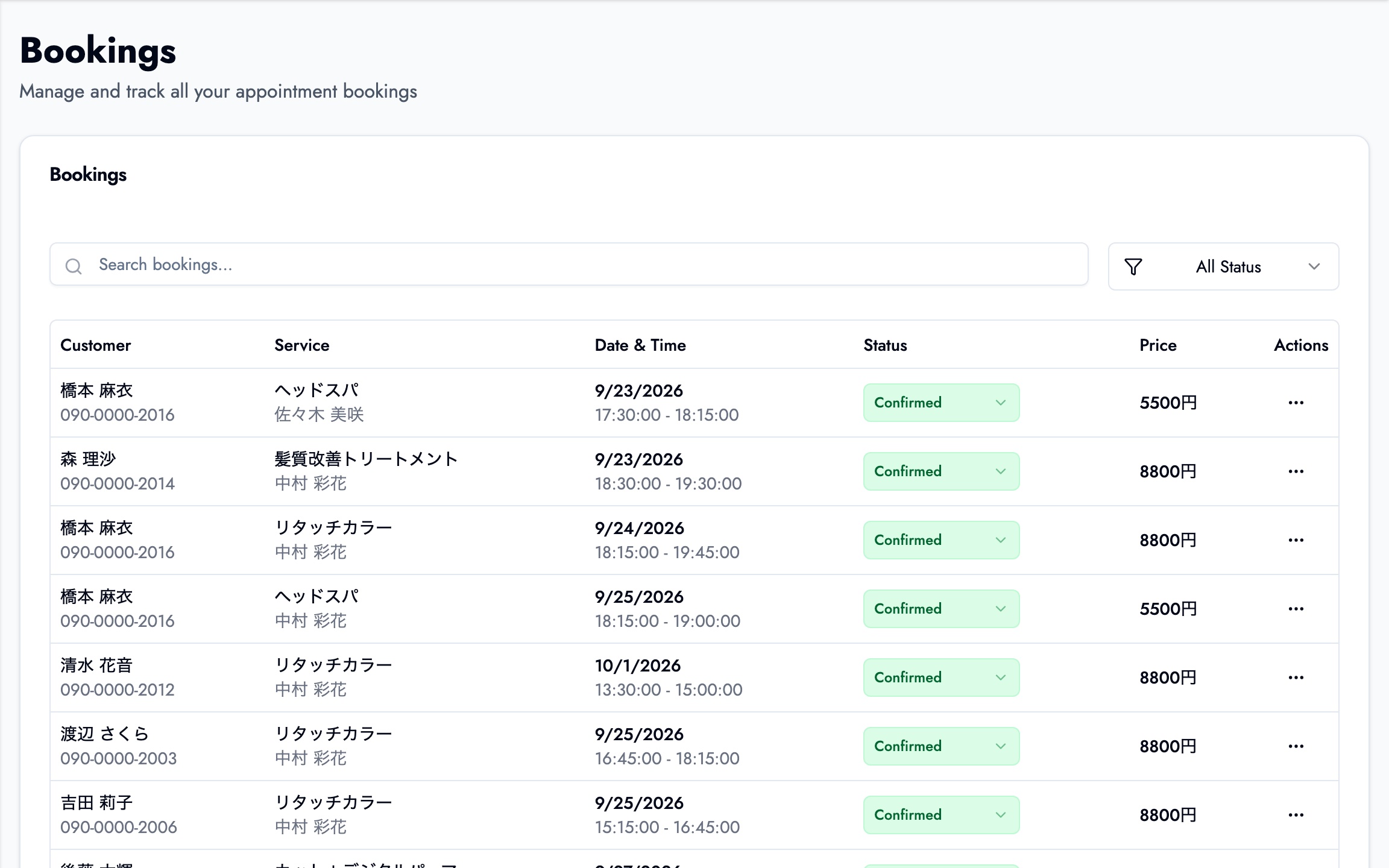
Bookings from LINE and from the web land in the same bookings list, so you're no longer cross-checking a spreadsheet against chat history.
For an overview of every way to take bookings on LINE, see can you take bookings on LINE for free? 4 ways compared. BOOKIN's LINE features are on the LINE booking system page, and what the free plan covers is on the free booking system page.
Summary
- You can build a LINE booking system for free in three ways: a rich menu plus a form, a linked booking calendar, or your own build on the Messaging API
- The easier the method, the more checking and replying stays manual. The more you build, the more you have to maintain
- Double bookings, changes and cancellations, reminders and "only the builder can fix it" are where DIY setups usually break
- A double booking, daily hours lost to replies, or a growing team are the signs it's time to switch
- Putting a booking system's free booking page in your rich menu is as simple as swapping out the form link
Start by replacing the link in your rich menu with a booking page that shows open times, and see how many availability questions disappear.
Take bookings online with BOOKIN. Set up in minutes, free plan available.
Start for free